Early access · Free · Quest 2 / 3 / 3S / Pro

GoldenEye 007, running natively on your Quest.

No PC, no streaming, no emulator. A from-source port of the N64 classic, rebuilt for virtual reality on top of the GoldenEye decompilation.

Install through SideQuest in your headset. See the headset setup steps. Bring your own game: you need a ROM of the USA cartridge you own. Why?

01 · Video

See it in the headset

GoldenEye VR Gets XBLA Graphics! Project Bean & More New Updates Play the video

The video loads from YouTube when you press play.

02 · Two ways to play

Pick one at launch. Switch any time.

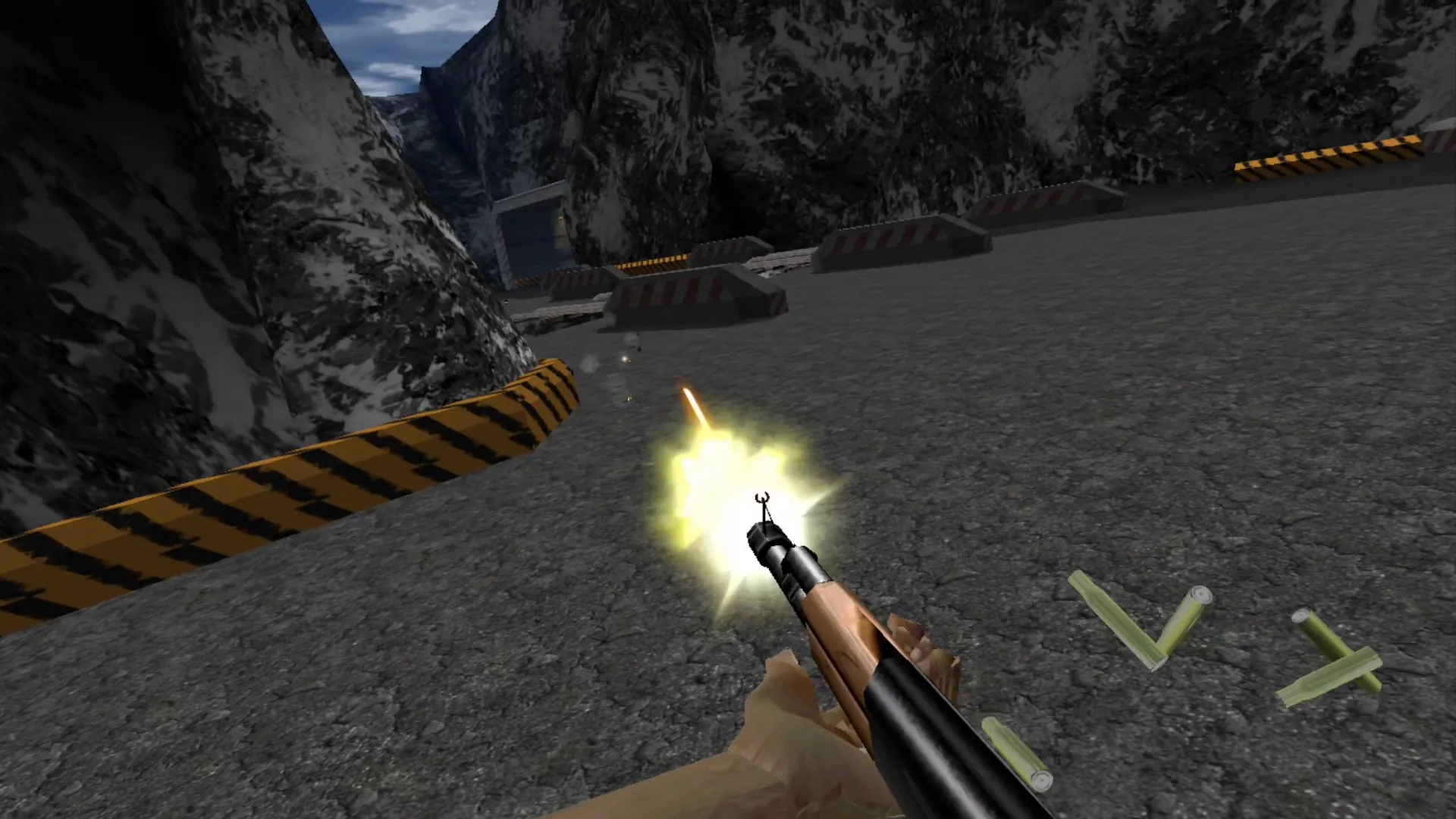
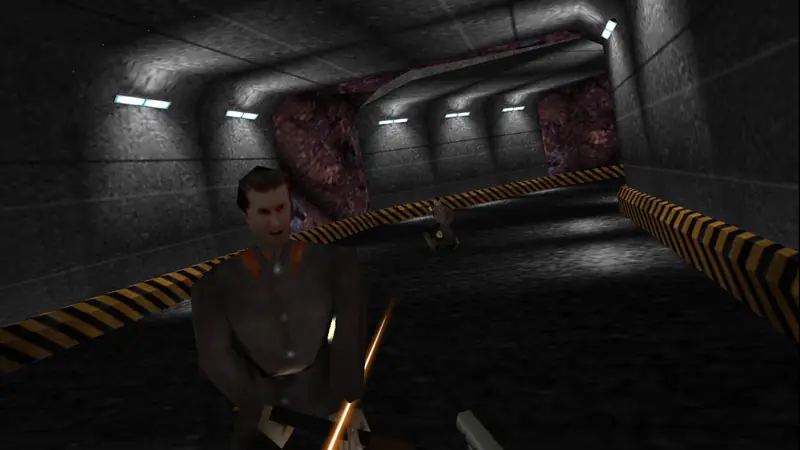
A guard up close in the Dam's tunnels, seen in stereo VR over the player's gun.

Stereo VR

True 3D first-person play. Look around with your head, lean around corners, and duck behind cover to hide from guards.

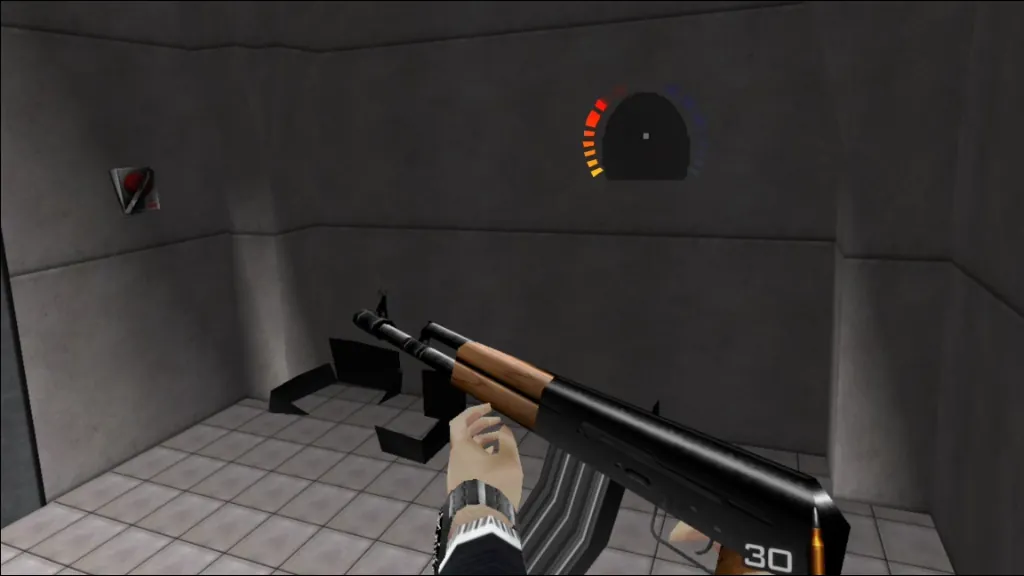
  • Aim with your real hand. Shots go where the barrel points, and a 3D sight shows where they'll land.
  • Hold any gun with both hands. Rifles aim along the line between your hands, with per-gun recoil and tighter spread.
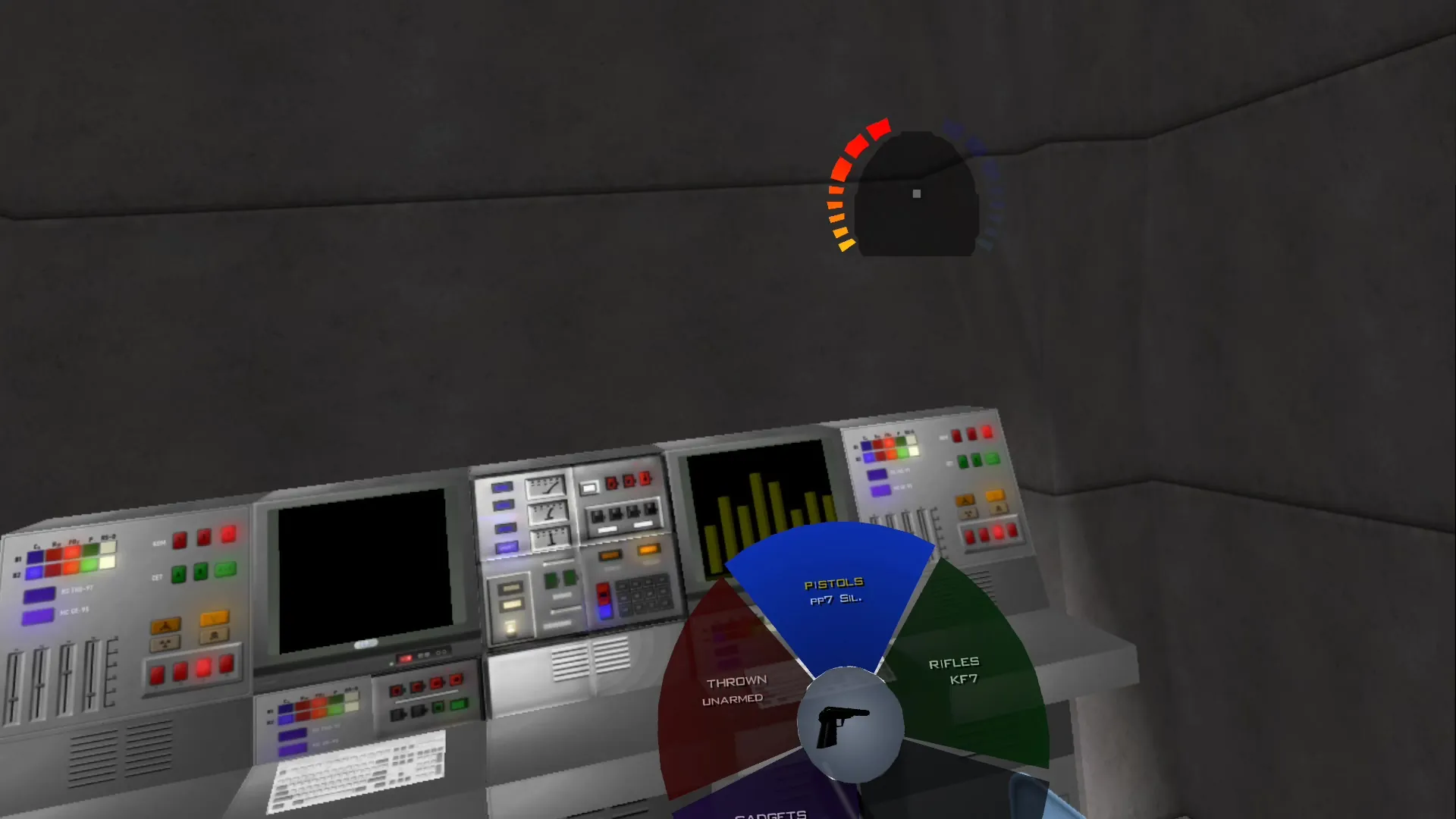
  • Weapon wheel: hold A, or hold X for your left hand, to switch guns or gadgets in an instant.
  • Independent reloads: press B for your right hand, Y for your left, or both at once.
  • Raise your wrist for live health, armor, and radar. Tap the watch face for live in-game VR settings.
  • Grip gestures: reach doors and switches to use them, grab back your mines, or hip-holster your gun (work in progress).
  • Scopes magnify in either or both hands, with steadier sniper aiming up to 25x.
  • Swing either hand to fight up close: chop, punch, pistol-whip, stab or club. Sneak up on a guard and chop him.
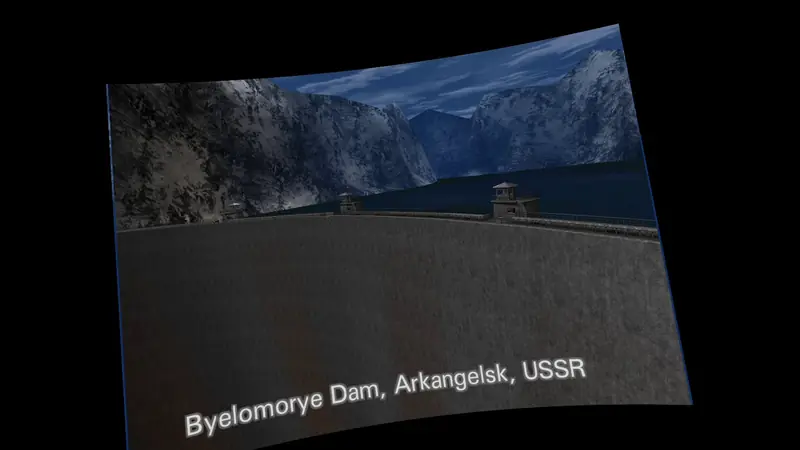
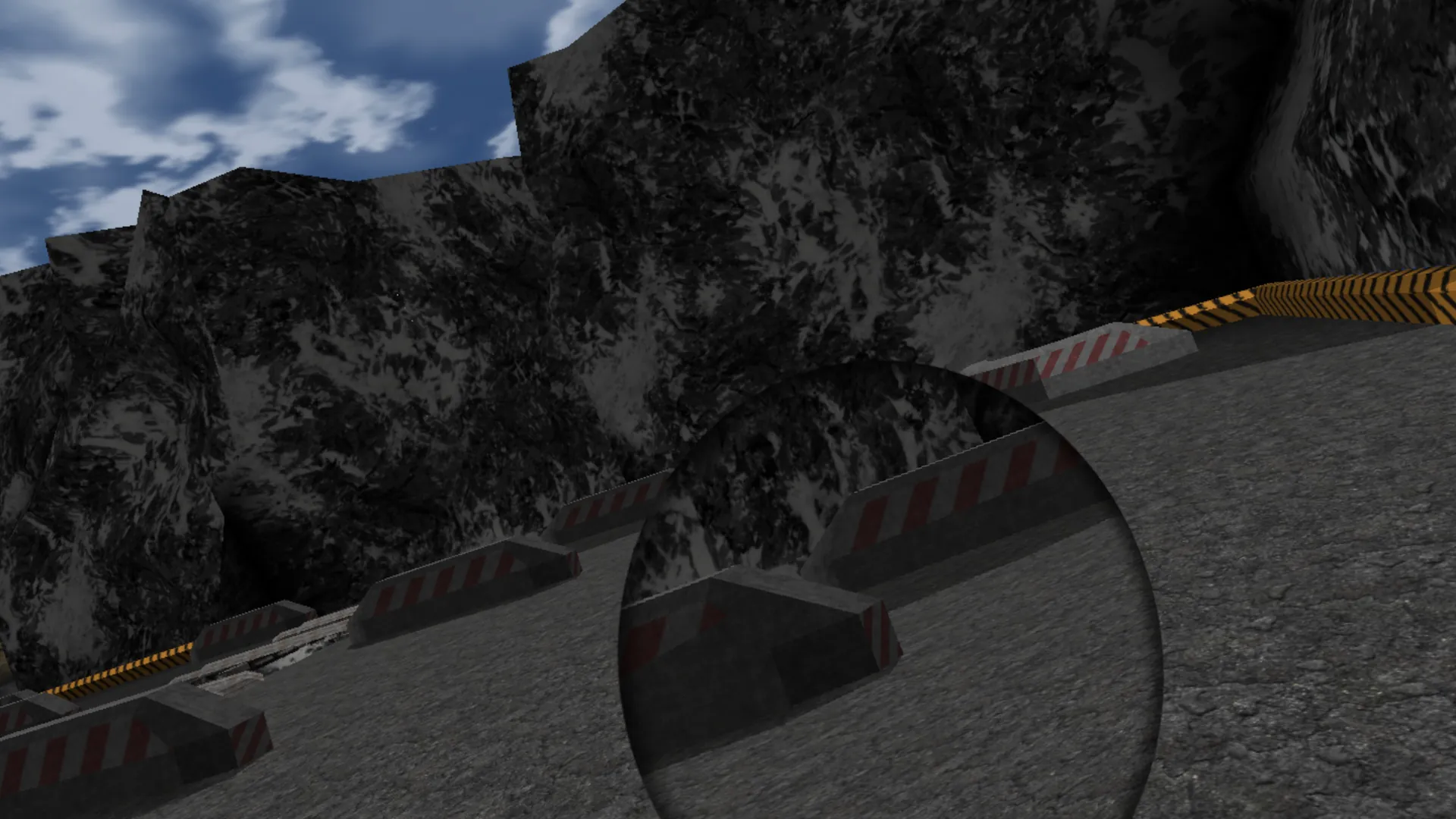
The Dam's opening shot on the curved virtual screen, floating in the dark in front of the player.

Big virtual screen

The whole game on a cinema-sized screen floating in front of you, with no artificial motion at all.

  • Flat or curved, at any size and distance.
  • Passthrough behind the screen lets you keep your real room in view.
  • Grab the screen with both grips to reposition or carry it anywhere.
  • Hold the right stick click to jump seamlessly into stereo VR, and back.
  • The watch pause screen sits right in the room with you.
  • Menus, briefings, and cutscenes play comfortably here in both modes.

Also in the box

Weapon wheel & reloads

Hold A or X to bring up the wheel and select weapons immediately. Independent reloads on B and Y, or reload by hand from your belt with GoldenEye X (work in progress).

Wrist status & watch menu

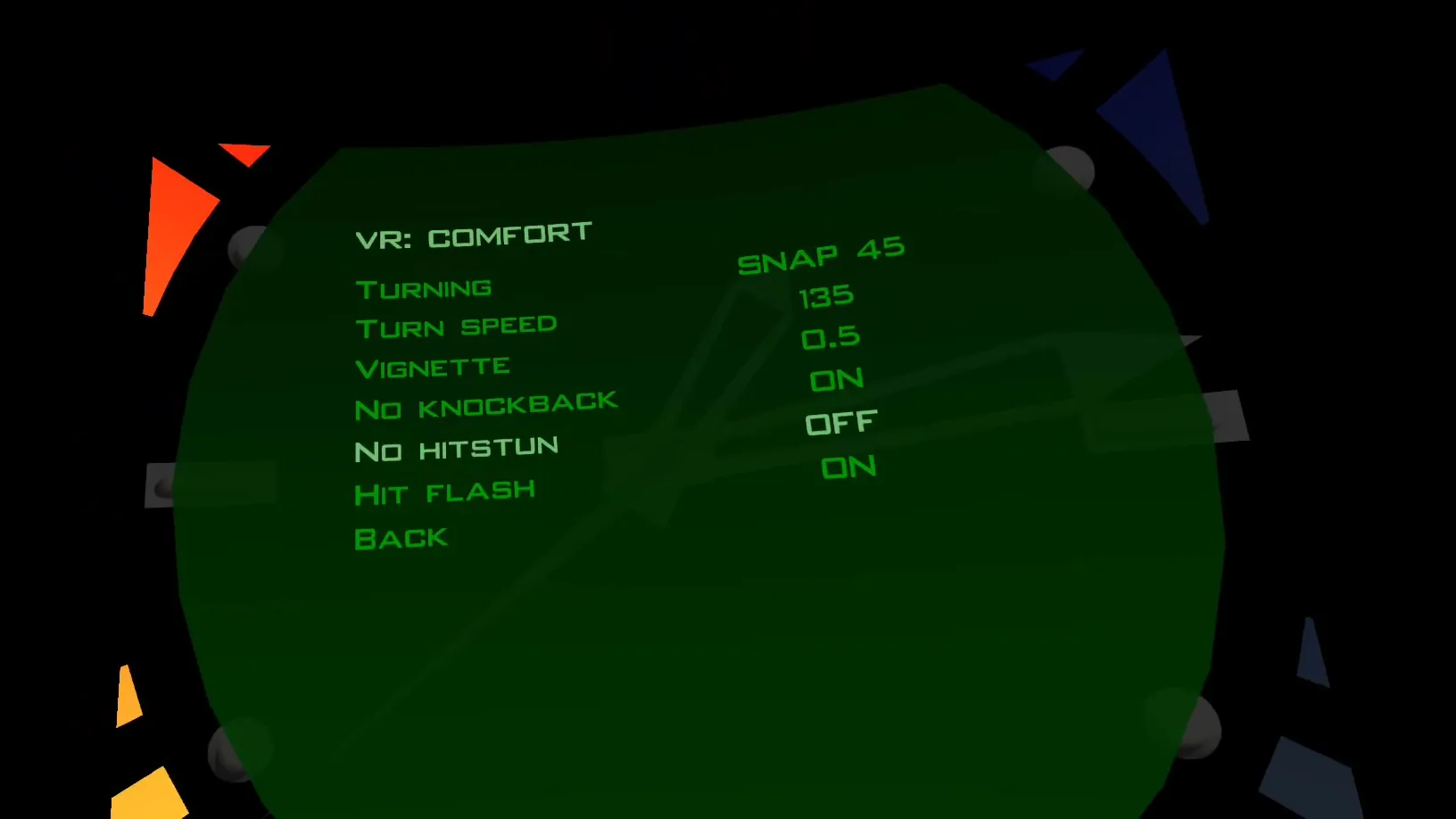
Live health, armor, and radar arcs on your sleeve. Adjust turning speeds, comfort vignettes, and gun settings right on Bond's watch during a mission.

GoldenEye X weapons

Optional GoldenEye X models for every weapon and item, from the PP7 to the Golden Gun. Reload magazines, shells and the Magnum's speedloader by hand (work in progress, needs your own patched Perfect Dark ROM).

3D game sound

Gunfire, explosions and doors come from where they happen, through the same Steam Audio 3D sound as voice chat. A fight in the next room sounds round the corner, not through the wall.

Comfort & passthrough

Real-world passthrough behind the virtual screen, smooth-turn speed slider (45–240°/s), snap-turn vignettes, and an "Aim: no lean" option for comfort.

HD textures & updates in the headset

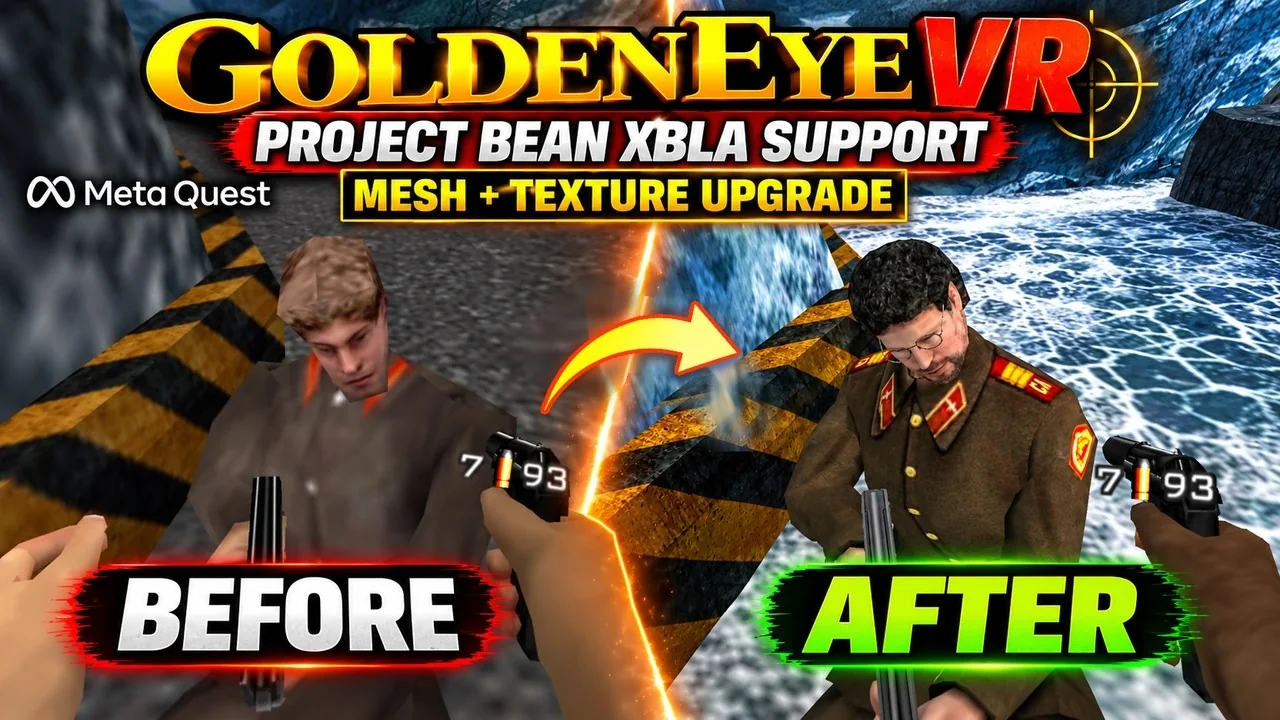
In-VR catalog installs the latest GoldenEye HD + AI packs, and the launcher offers each new release, no computer needed. Settings, cheats, and rules save instantly.

03 · Multiplayer · Co-op Campaign Experimental

Play the campaign in co-op. Or battle 8 players and bots.

Team up for the full solo campaign in 4-player online co-op, or jump into 8-player deathmatch across classic stages. Fill the empty slots with bots, or take on a match of bots by yourself. No IP addresses, no router setup.

  • 4-Player Co-op Campaign: Host a co-op mission from the multiplayer menu. The host picks the mission, difficulty and briefing while each player keeps their own save file and progress.
  • Built for team survival: Teammate radar tracks health and armor. Downed players can be revived instead of dying, teammates pass through each other at tight spawns, cutscenes are shared for everyone, and mission gadgets go to the whole team.
  • 8-Player Deathmatch: Host 2 to 8 players online, plus Team 3v3 and Team 4v4 matches. Spawns intelligently spread out across ammo spots so nobody starts right on top of another player.
  • Deathmatch bots: Fill the empty slots, or set 1 to 7 bots, at six difficulties from Meat to Dark. Built on Perfect Dark's simulants, they hunt by line of sight, grab guns and ammo, reload, open doors, and play Flag Tag and The Man with the Golden Gun. Anyone joining a full match takes a bot's place straight away.
  • Drop-in matches & 3D voice chat: Games stay listed after launch so players can join straight into the fight. Directional 3D voice chat features both Proximity and Couch modes.
  • Fair fights: Players gently push apart instead of pinning each other in corners. The host's Hit immunity rule lets fast guns land their hits, or keeps GoldenEye's original timing.
  • Statue and Cradle online: Battle across an expanded stage list with full weapon sets from Slappers only to the Golden Gun.
  • Warmup & pause scoreboard: 2-minute warmup lobbies, 10-second countdowns, ready requests, host kick, a No radar rule, and an in-match pause window with scores and radar arcs.
  • Same-version requirement: Multiplayer and co-op are experimental. Everyone needs v0.4.14 to play together online. The launcher offers each update right in the headset.

Online play connects headsets directly peer-to-peer when possible, and relays through Cloudflare when needed. The lobby service coordinates room codes and active player rosters only while games remain open.

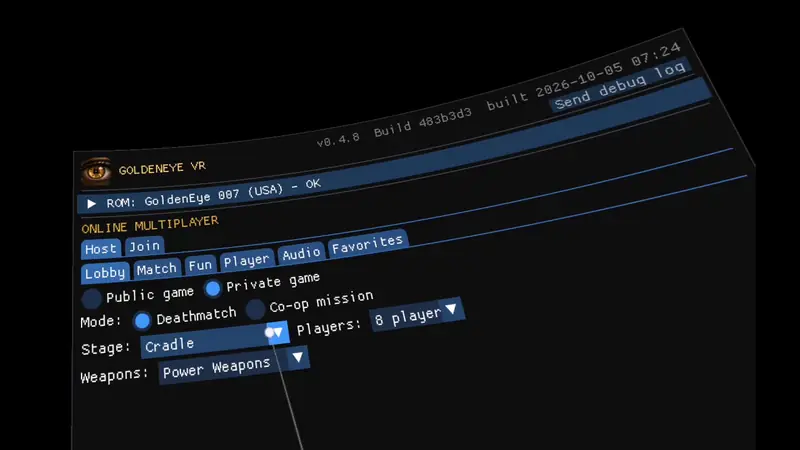
The in-VR launcher hosting an online game on Cradle with Deathmatch and Co-op mission options.
Hosting Co-op and 8-Player games in the launcher.

04 · Screens

Straight from the headset

05 · Install

Your mission objectives

  1. Get SideQuest in your headset

    Start in your headset, with no computer or USB cable. Open Meta Quest Browser, visit sdq.st/go and download the SideQuest APK. Open the Files app, find the APK in Downloads or Recent, then select its three-dot menu → Open With → Package Installer. Install SideQuest, press Open and accept its prompt to add it to your library. SideQuest's video walkthrough.

  2. Install GoldenEye VR

    Open SideQuest in your headset, search for GoldenEye VR and choose the option to download it directly to your headset. Follow the installation prompts, then add GoldenEye VR to your library through SideQuest.

  3. Add your ROM and play

    Download your own GoldenEye 007 (USA) ROM from your private cloud storage in the headset's browser to its Download folder, or copy it over USB if you prefer. Launch GoldenEye VR from your Library (or Unknown Sources if you haven't added it), press Choose ROM file..., then START.

Developer Mode update: SideQuest launched this headset method without Developer Mode, but SideQuest's founder now reports that Meta has closed the bypass. Your headset may require Developer Mode again. If the headset method is blocked, follow the computer installation guide below.

Install with a computer Troubleshooting Controls

Other platforms

The same game, and the same online matches, on a PC and more. Flat players can join VR players, unless the host picks VR players only.

Windows: unzip, put your ROM in the folder, then run GoldenEyeVR.exe to play on the screen, or Play VR.cmd (Quest Link, Virtual Desktop) or Play SteamVR.cmd for PC VR. iPhone / iPad: install the IPA with SideStore. Linux, Android, Steam Frame and iPhone builds are experimental: they haven't been tested on real hardware yet, so please tell us how they run.

06 · Status

Active development

GoldenEye VR is under active development. The solo campaign can be played in both Stereo VR and Big Screen modes, and 4-player online co-op and 8-player deathmatch with bots are running in early access. Expect rough edges as features evolve.

Found a bug? Open an issue with your headset model and build number. To find matches, check the live lobbies, join the Discord, or visit r/GoldenEyeVR on Reddit.

07 · Credits

Built on the shoulders of